Nothing to install. Open it in your browser and book your first appointment in minutes.
Nothing to install, runs in your browser
On phone, tablet and computer
Automatic WhatsApp reminders
A separate database for every practice
Interface in 12 languages
Dentist, assistant and front desk roles
01.
Keep every chair filled
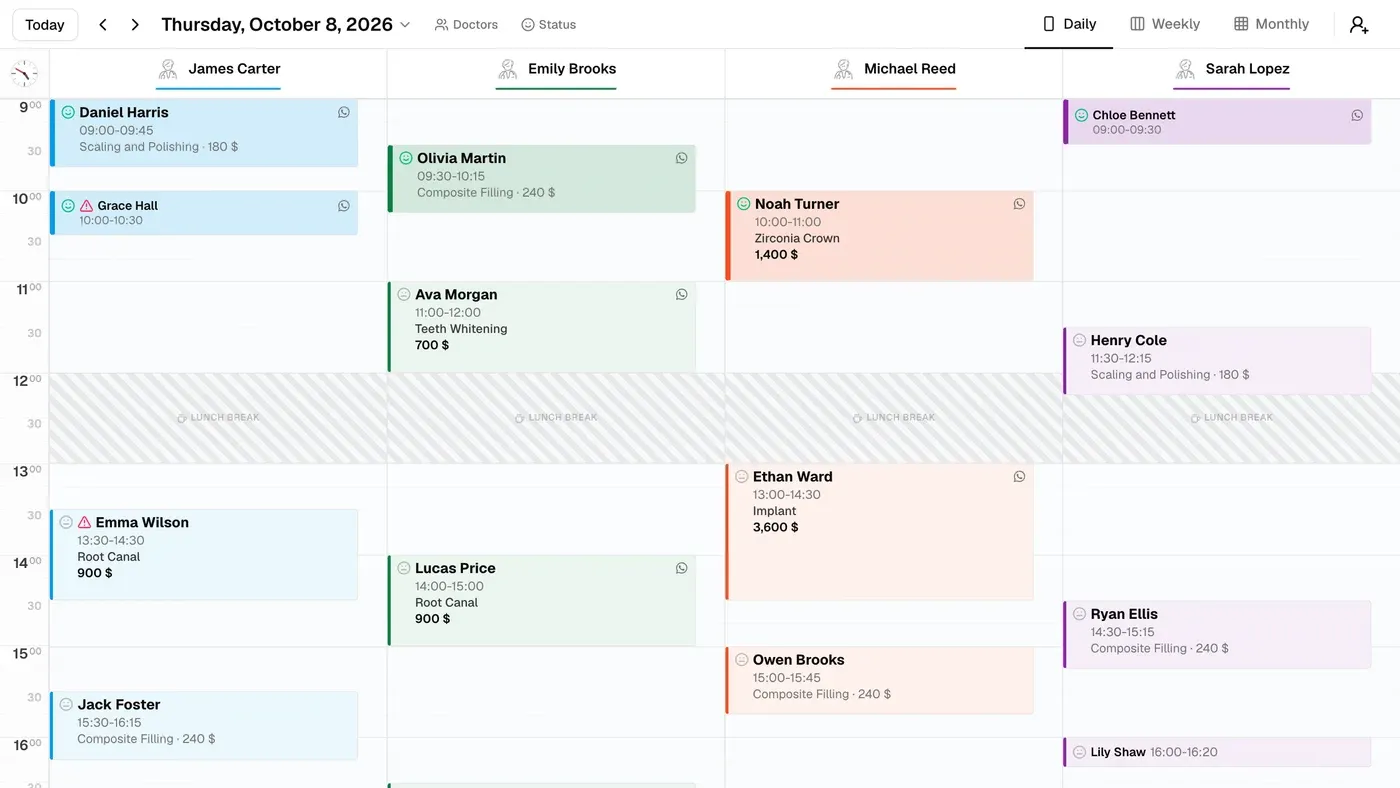
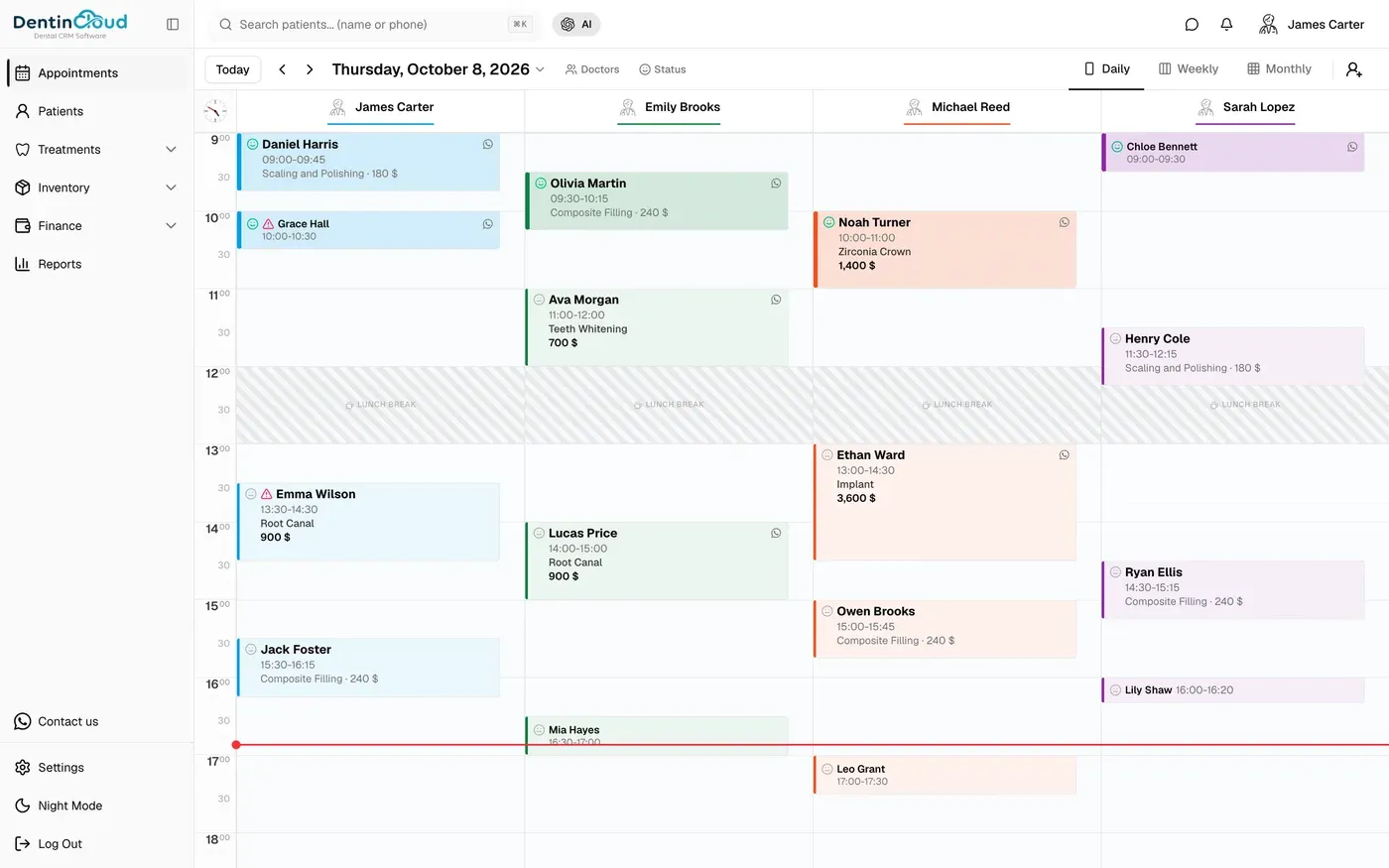
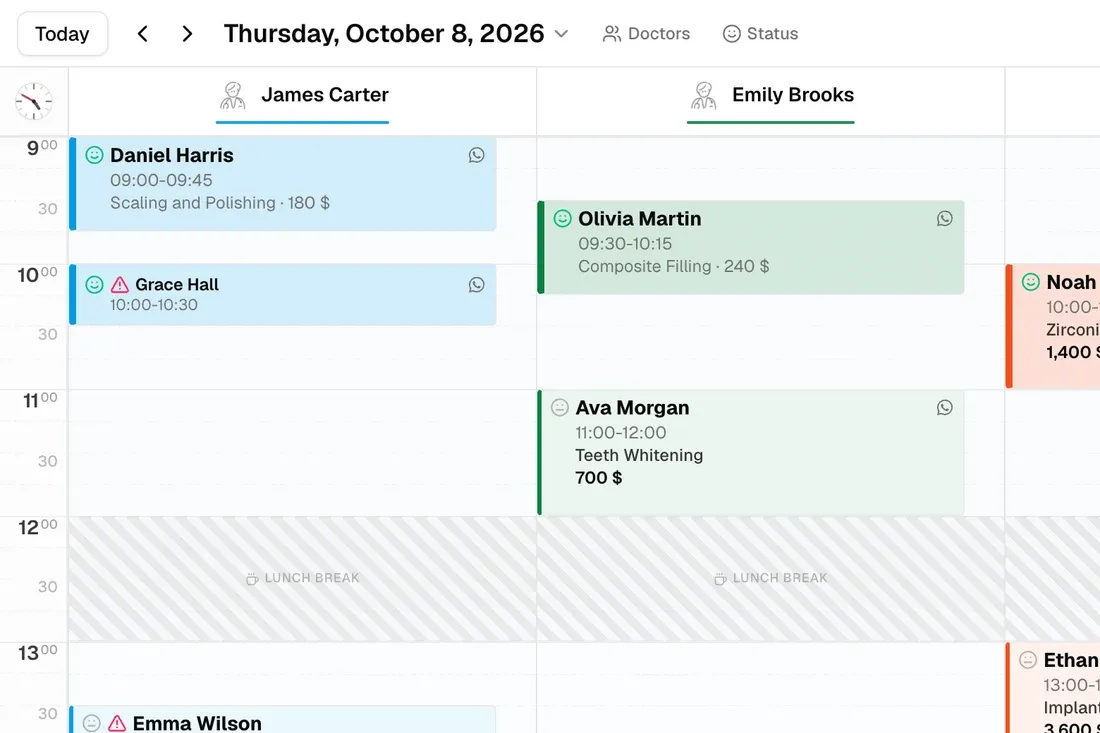
Each dentist gets their own color-coded column. Tap an open slot, enter the patient, pick the procedure, and the appointment is on the calendar. Drag to reschedule, and switch between day, week and month views.
Color-coded calendar for each dentist
Tooth, procedure and fee on every appointment
Day, week and month views
02.
Let WhatsApp send the reminders
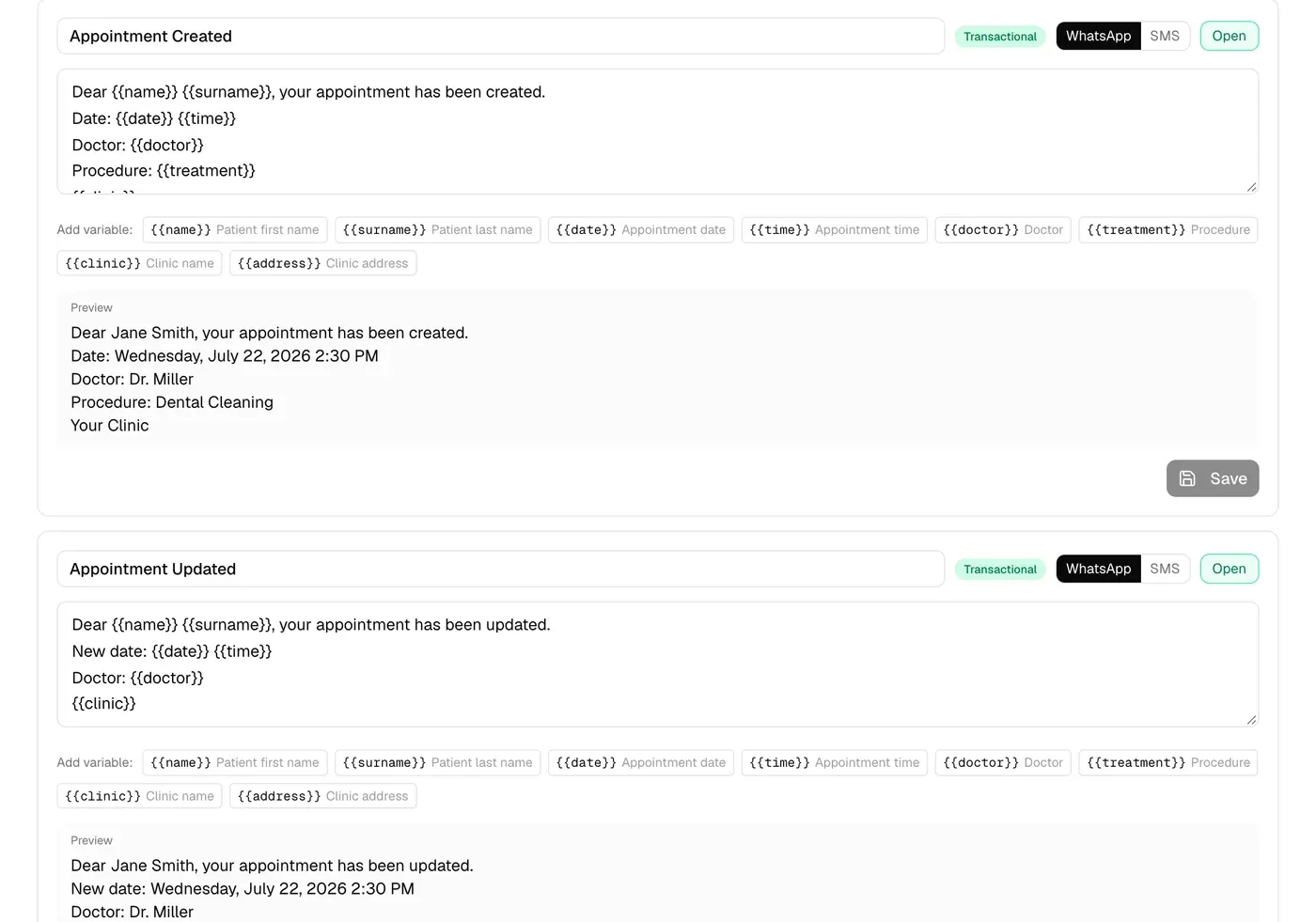
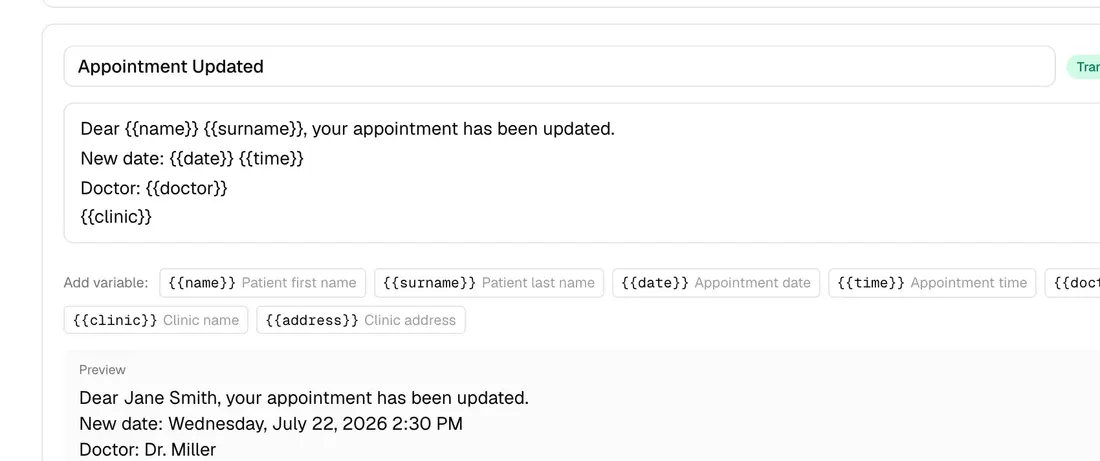
Connect your practice's WhatsApp number once. Appointment confirmations, reminders one day and three hours ahead, no-show follow-ups and birthday messages go out on their own.
9 ready-made message templates
You edit the wording
Messages go out from your own number
03.
See the allergy before the patient is in the chair
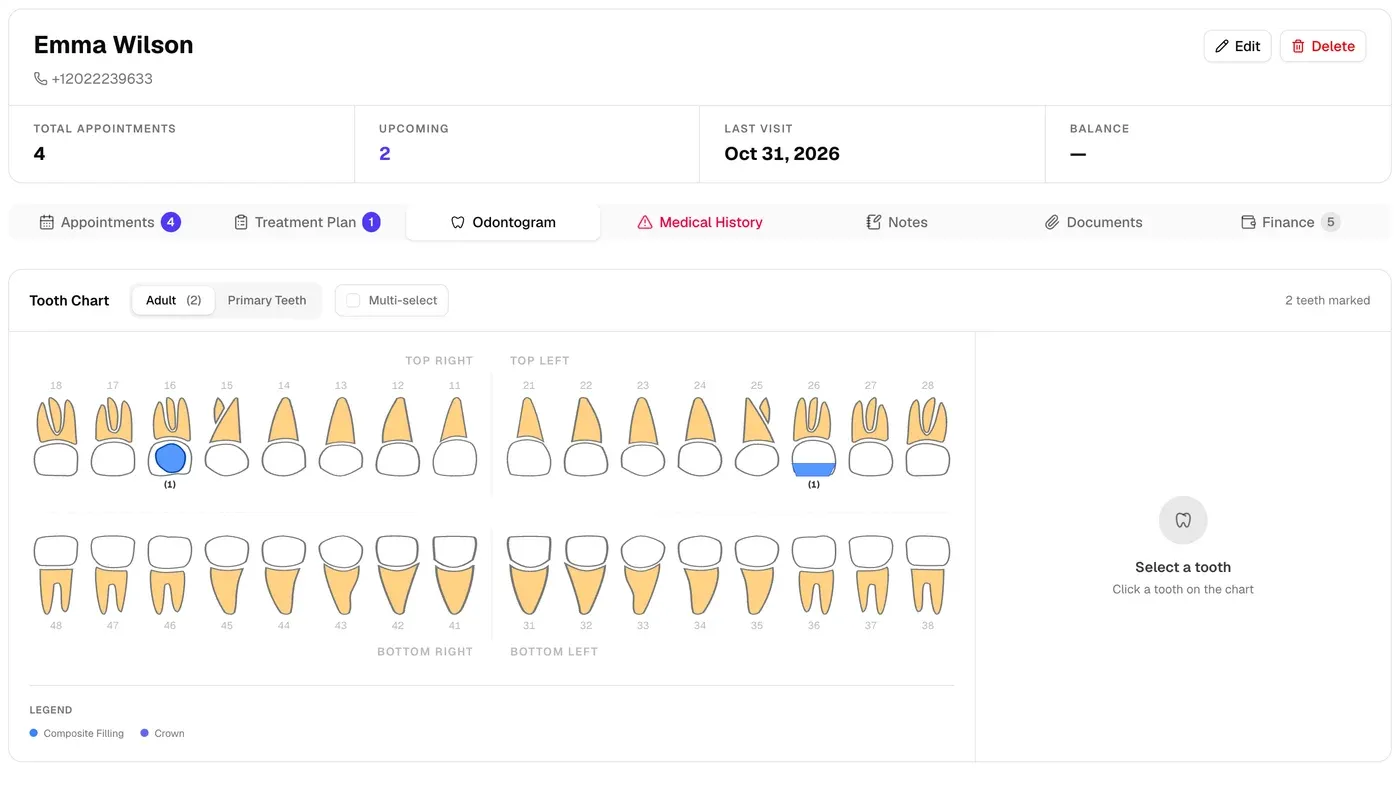
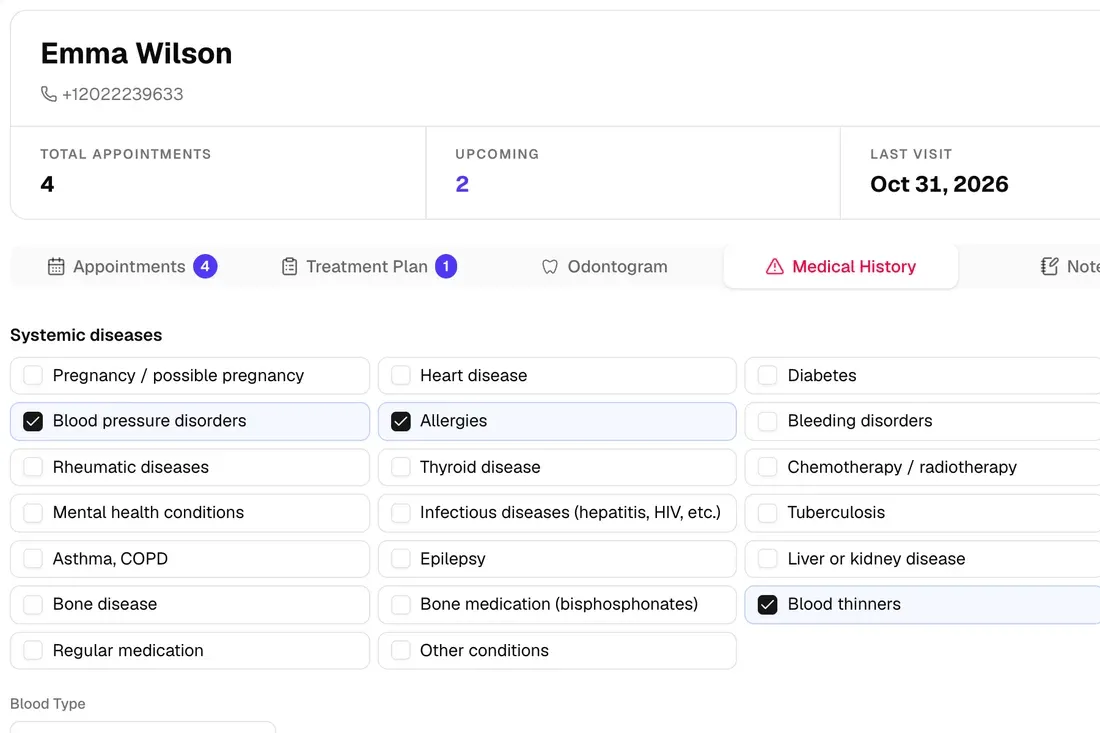
Medical history, documents and treatment history live in the patient record. If a patient has an allergy or takes blood thinners, a warning shows on their calendar card. Tooth chart and treatment plan on the same screen.
Medical history checklist
Tooth chart and treatment plan
Documents and notes
04.
Who paid what, at a glance
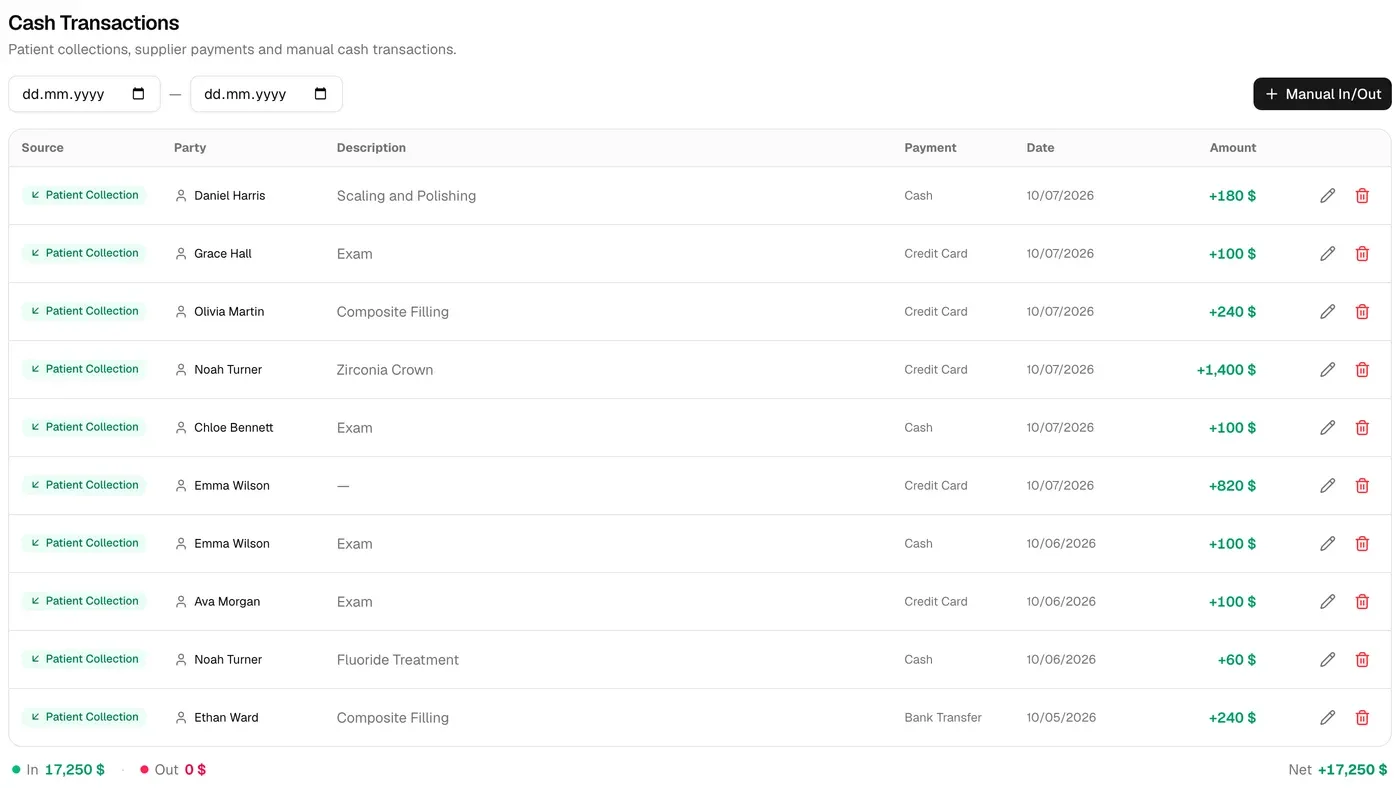
Every patient's balance and payments sit in their own account. Take a payment in two clicks, and the day's cash and the list of patients who owe update on their own.
Patient ledger
Daily cash
Outstanding balances list
Everything your practice needs in one place.
Treatment plans
Build the plan right on the teeth, link each step to an appointment and track progress.
Reports
See your practice in numbers with revenue, collections and appointment reports.
Team chat
Front desk and dentists message each other instantly inside the practice and see who's online.
AI assistant
Ask about today's appointments or request a patient summary. With your approval, it books the appointment too.
Documents and PDF
Attach X-rays and documents to the patient record and download the patient report as a PDF.
Roles and permissions
Dentists, assistants, front desk and managers each see only what their job needs.
Get started in three steps
No installation, no training. Sign up today, book appointments today.
1Sign upCreate an account in a minute with your practice name and phone number. We don't ask for a credit card.
2Set up your practiceAdd your office hours, dentists and treatments in a few short setup steps.
3Connect WhatsAppScan the QR code once and book your first appointment. From then on, reminders go out on their own.
Everything in Monthly, plus:One payment for 12 monthsSave $119 a yearPrice locked for a full year
Prices shown are for the United States market and may vary by country. You'll see your own price when you sign up. Extra users and storage are available separately.
Payments are taken by credit or debit card, secured by iyzico.
Frequently asked questions
What is DentinCloud?
DentinCloud is cloud-based management software for dental practices. Appointment calendar, patient records and medical history, tooth chart and treatment plans, WhatsApp reminders, patient ledgers and daily cash, all in one place. It runs in your browser, with nothing to install.
How does the free trial work?
Every feature unlocks the moment you sign up. It's free for up to 100 patients, with no time limit and no credit card required. When you want to add more patients, you move to a paid plan, and all your data stays exactly as it is.
How much does it cost?
$39 per month or $349 per year. The plan includes 4 users and 5 GB of storage, with unlimited patients. Extra users and storage are available if you need them.
How do the WhatsApp reminders work?
You connect your practice's WhatsApp number once by scanning a QR code. Appointment confirmations, reminders one day and three hours ahead, no-show follow-ups, post-treatment care instructions and birthday messages go out on their own. You can edit every template however you like.
Where is patient data stored?
Each practice's data is kept in its own separate database and never mixes with another practice's. The connection between you and the app is encrypted (HTTPS).
Can I use it on my phone and tablet?
Yes. DentinCloud runs in the browser on phone, tablet and computer, and the calendar adapts to small screens.
I have more than one practice. Can I manage them with one account?
Yes. You can access several practices with the same account and switch between them in one click. Each practice's data stays separate.

 Türkçe
 English
 Deutsch
 Français
 Español
 Italiano
 Português
 Polski
 Русский
 Українська
 العربية
 ქართული